AI Surveillance: How Intelligent Cameras Protect Your Family
Transform your home into a secure sanctuary without sacrificing style: A practical guide to integrating cutting-edge video surveillance into your modern living space.
Choosing a security system is no longer just about grainy footage of a porch; it is about integrating intelligent sensors that protect your family while blending into your home's aesthetic.
By focusing on high-resolution IP cameras and strategic placement, you can create a proactive defense system rather than a reactive one.
* Selection: Opt for AI-enabled 4K cameras that offer both high security and aesthetic discretion to match your home decor. * Placement: Focus on entry points and high-traffic areas rather than trying to cover every single inch of a room. * Integration: Modern systems are designed to work with existing smart home ecosystems, allowing for seamless remote monitoring via smartphone. * DIY Safety: Success requires careful planning regarding power sources and network connectivity before you ever pick up a drill.
Why Upgrade to Smart Security? Understanding Modern Video Surveillance
The sun was setting over my suburban neighborhood, casting long shadows across the driveway as I stared at a small, blinking red light on my porch.
For years, that little light represented a simple loop of video, but as technology shifted between 2021 and 2023, the concept of "security" evolved from mere recording to active intelligence.
Modern surveillance has moved far beyond the basic analog loops of the past. While old systems merely captured footage for you to watch *after* an event occurred, current intelligent, networked systems provide proactive alerts.
The shift toward IP (Internet Protocol) cameras and AI-powered software means your system can now distinguish between a neighborhood cat and a person approaching your front door.
The scale of this technological shift is massive. For instance, in one major metropolitan network, it was reported that there were 160,000 CCTV cameras serving 95 percent of residential buildings.
This level of connectivity demonstrates how deeply surveillance has become integrated into the fabric of modern living.
| Feature | Analog Systems | Modern IP/AI Systems |
|---|---|---|
| Resolution | Low (SD) | High (4K/Ultra HD) |
| Alerts | Passive (Record only) | Proactive (Instant mobile alerts) |
| Connectivity | Wired/Local only | Cloud-based/Remote access |
| Intelligence | Motion-only | Person, Vehicle, and Face Recognition |
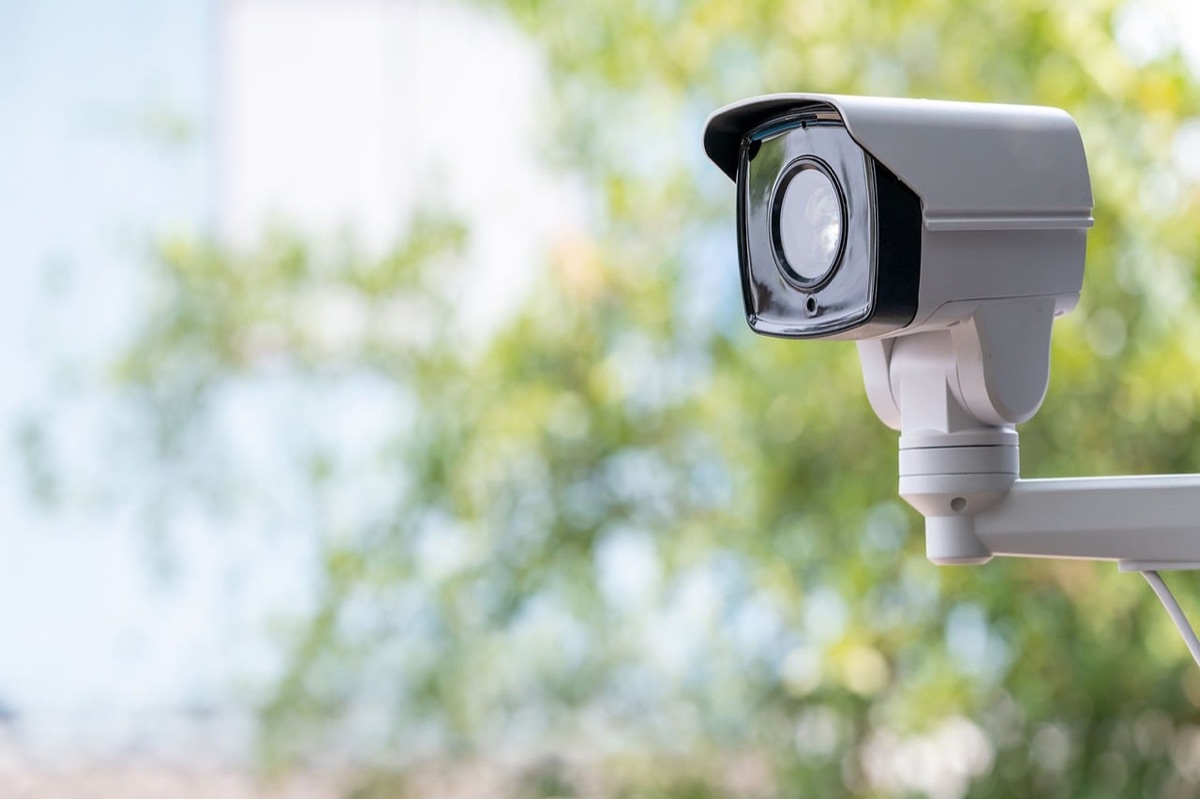
Which camera fits my budget and style? I remember standing in a hardware store aisle, overwhelmed by a wall of white plastic boxes, wondering if a $50 camera could actually keep my living room safe. The sheer variety of form factors and technical specs makes it difficult to know if you are buying a tool or a toy.
When selecting hardware, the most critical factor is resolution. If you need to identify a face at a distance, 4K resolution is a necessity; 1080p might suffice for a hallway, but it lacks the digital zoom capability required for clear evidence.
For those looking for professional-grade reliability, brands like Dahua Technology have established a significant market presence by providing hardware that balances high-end features with user-friendly interfaces. When browsing, consider these three tiers:
- Discreet Indoor Cameras: These are often smaller and designed to sit on a bookshelf or mount to a ceiling without drawing attention.
- Robust Outdoor IP Cameras: These feature weather-resistant housing (IP66 or higher) and are built to withstand rain, snow, and heat.
- Budget Entry Points: Low-cost options (often under $100) are great for testing a single doorway, but they may lack the advanced AI features of premium models.
But having the right gear is only half the battle; placement is where most people fail.
Where should I place my security devices? Walking through my living room with a flashlight, I realized that even with three cameras, there were still massive dark zones where a person could move undetected. I had to stop thinking about "filling the room" and start thinking about "controlling the flow."
The most effective strategy is the 3-Point Rule. You should focus your resources on the most vulnerable access points: the main entry door, the back door or patio, and key ground-level windows. Covering these "choke points" is more effective than trying to monitor every corner of a backyard.
To ensure the system remains part of your home's design rather than an eyesore, consider these placement tips: * Architectural Integration: Mount cameras near existing light fixtures or under eaves to make them look like part of the house structure.
* Height and Angle: Place cameras at roughly 8 to 10 feet. This is high enough to prevent tampering but low enough to capture clear facial features.
* Minimize Blind Spots: Ensure that one camera's field of view can "see" the base of another camera to prevent someone from approaching the hardware undetected.
If you aren't careful with the installation process, your high-tech sensors might become useless paperweights.
DIY Installation Step-by-Step: From Unboxing to Live Feed
The smell of fresh sawdust filled my garage as I laid out the mounting brackets and power cables on my workbench. Before the first screw went into the wall, I realized that a poorly planned installation is the fastest way to end up with a broken window or a dead network.
Follow these steps to ensure a professional-grade installation:
- Site Survey & Planning: Walk through your property and map out every camera location. Use your smartphone to check Wi-Fi signal strength at each proposed spot before you commit to a mounting location.
- Mounting & Physical Installation: Securely attach the cameras using the appropriate anchors. Use masonry anchors for brick or stucco, and wood screws for siding. Ensure the mount is level to prevent distorted video angles.
- Power & Connectivity: Decide between Power over Ethernet (PoE) for maximum stability or Wi-Fi for easier placement. If using Wi-Fi, ensure you have a mesh network to reach outdoor locations.
- System Configuration: Once powered, use the manufacturer's app to set up motion zones. This prevents the camera from sending you a notification every time a tree branch moves in the wind.
A successful installation is not just about mounting hardware; it is about ensuring the digital backbone can support the data load. If your Wi-Fi is weak, your 4K video will lag or fail exactly when you need it most.

Common Pitfalls and Advanced Applications
I once spent an entire afternoon trying to fix a "ghost" motion alert, only to realize I had pointed my camera directly at a swaying rose bush. It was a frustrating lesson in the difference between motion detection and intelligent analytics.
In terms of large-scale infrastructure, according to Wikipedia: Closed-circuit television, over 3,500 Russian cameras were connected to the General Centre for Data Storage and Processing in 2017.
One of the most common mistakes is failing to account for lighting. A camera that looks great in the midday sun might be useless at night if it lacks strong infrared (IR) capabilities or low-light sensors.
Additionally, avoid pointing cameras at bright light sources, like direct sunlight or streetlamps, which can wash out the image.
For those looking to go beyond basic surveillance, you can apply these systems to broader smart home automation: * Automated Lighting: Set your smart lights to turn on automatically when the camera detects motion at the front door.
* Smart Lock Integration: Use the camera feed to verify a visitor's identity before remotely unlocking a smart deadbolt. * Geofencing: Program your system to arm itself automatically when your phone leaves a certain radius of your home.
Note that these advanced integrations require a compatible ecosystem; a standalone camera may not talk to your smart locks without a central hub.
Limitations and Considerations
It is important to recognize that no single camera system can provide absolute security. Environmental factors like heavy fog, extreme temperatures, or physical obstructions can interfere with sensor accuracy.
Furthermore, these systems are not a substitute for physical locks or professional security services, and they should not be used to violate the privacy of neighbors or public spaces.
Related






Comments 0